Web Scaffold
Project Overview
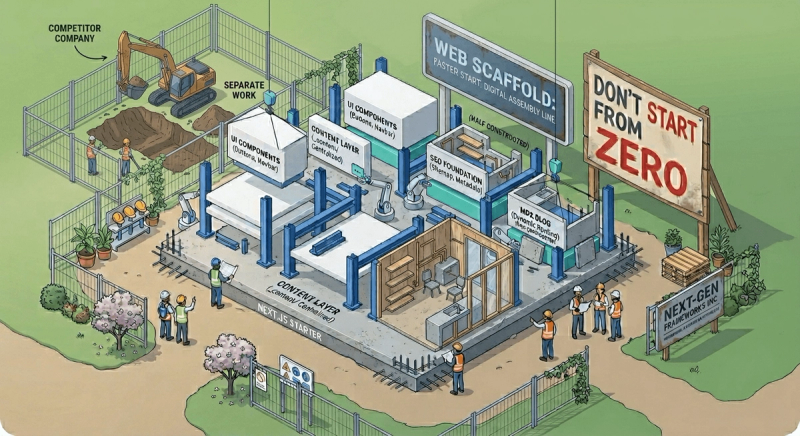
Web Scaffold is a functionality-first Next.js starter template built for the AI era. Instead of providing a predefined design system, it offers reusable features, production-ready foundations, and a better developer experience to accelerate project development.
Benefits
- Faster project setup
- Built-in SEO foundation
- Blog infrastructure ready when needed
- Consistent project structure
- Reusable UI patterns
- Less boilerplate for developers and AI coding tools
Key Features
Content Layer
- Centralized content architecture
- CMS-agnostic structure
- Reusable navigation and footer content
- Easy migration to a CMS later
Blog Infrastructure
- MDX-powered blogs
- Dynamic routing
- Blog cards, carousel sections, related posts, and dedicated blog pages
- SEO-friendly URLs
SEO Foundation
- Metadata utilities
- Sitemap generation
- Robots.txt generation
- Structured data helpers
Shared UI Components
- Navigation
- Footer
- Buttons
- Breadcrumbs
- Carousels
- Section wrappers
Project Structure
- Predictable folder organization
- Clear separation of concerns
- Easier onboarding for contributors
Problems, Challenges & Learnings
Rather than focusing only on features, Web Scaffold was shaped by a few recurring problems I kept encountering across projects.

1. Planning For Features That Usually Arrive Later
A pattern I noticed was that project requirements rarely stay fixed.
A website may launch with only a few pages, but future requests often include blogs, SEO improvements, content management, and search engine visibility.
Adding these features later usually requires restructuring parts of the application.
To reduce that future work, I decided to include blog and SEO foundations from the beginning. They can remain unused initially, but they are available when requirements grow.
Decision: Build optional blog and SEO infrastructure into the scaffold instead of retrofitting it later.
2. Content Should Have A Single Source Of Truth
In smaller projects, content often becomes scattered across components. A phone number, email address, or navigation item may exist in multiple places throughout the application.
Updating content later becomes a search-and-replace exercise.
To avoid this, I created a dedicated content layer that keeps content separate from UI components.
_content/

├── navbar.ts

├── footer.ts

├── blogs/

└── types.ts
An additional benefit is that the architecture remains CMS-agnostic. Whether content comes from local TypeScript files, Sanity, Contentful, Strapi, or another CMS, the UI layer consumes the same structured content contracts.
This makes it easier to adopt or replace a CMS later without requiring large-scale changes throughout the application.
Decision: Centralize content early while keeping CMS adoption flexible and project-specific.
3. Common UX Components Get Rebuilt Repeatedly
Across projects, I found myself recreating many of the same interface elements:
- Buttons (Back Button, CTA Button, Contact Button)
- Breadcrumbs
- Responsive navigation and footer
- Carousels
- Loading states
None of these components are difficult to build individually, but rebuilding them repeatedly adds unnecessary effort.
The cost becomes more noticeable when working across multiple projects or in team environments where consistency matters.
Beyond development time, recreating these patterns often introduces small differences in styling, accessibility, and behavior.
Decision: Standardize commonly used UX components to improve consistency and reduce repetitive work.
4. Consistent Structure Helps Both Developers And AI Tools
Whether a project involves another developer, a future contributor, or AI-assisted development, consistency matters.
When every project uses a different structure, onboarding takes longer and maintaining code becomes more difficult.
I wanted the scaffold itself to demonstrate the organizational patterns I prefer to follow.
app/

components/

_components/

_content/

lib/
This creates a predictable environment where contributors can understand the project quickly and focus on solving problems rather than learning a new structure.
Decision: Prioritize convention and consistency over clever folder structures.
Current Status
The current version already includes the foundations I most frequently reuse in web projects. Future updates will continue improving content management workflows, project organization, and AI-assisted development support.
Planned Improvements
- AI context and skill files
- API abstraction layer
- Environment validation
- Additional SEO utilities
- Route groups
- Backend starter structure
- Error boundaries
- Empty state components
- Global loading and website loading states
- Analytics integration points